What a Browser Tracking Audit Can't See, Server-Side Tagging and Conversion APIs
PXTA watches what leaves the browser. That covers most tracking on most websites, and it’s where the consent questions are sharpest, because it’s the visitor’s own device doing the sending. But it’s not everything, and a report that says nothing about the rest would be easy to misread.
So here’s the part a browser can’t see, stated plainly.
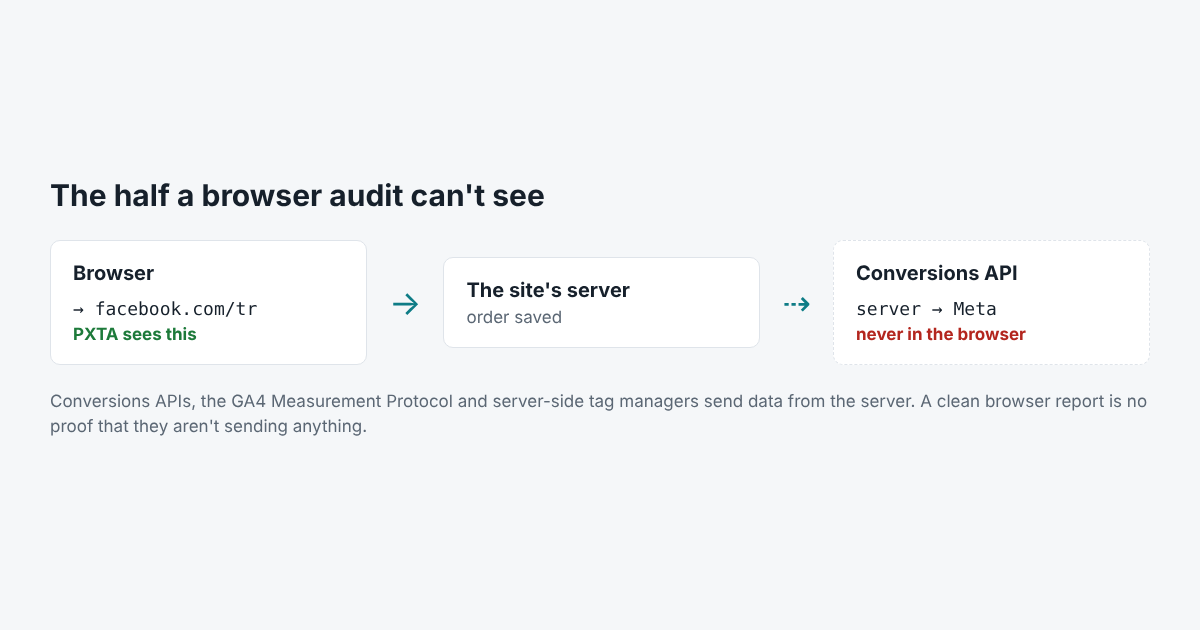
Conversion APIs
Every big ad network now takes data straight from a company’s server. Meta has the Conversions API, Google has the GA4 Measurement Protocol and offline conversion imports, TikTok has the Events API, and LinkedIn, Pinterest, Snap and X have their own. The site’s server sends the order, the email, the phone number, whatever it has, directly to the network.
The visitor’s browser never sees those requests, so no browser audit can either.
Server-Side Tag Managers
A server-side tag manager sits in between. The browser sends one request to an address on the site’s own domain, such as metrics.example.com, and the server forwards the data to Google, Meta and the rest. From the browser, it looks like the site talking to itself.
PXTA 0.1 doesn’t treat requests to the site’s own domain as tracking. They’re in the HAR file with everything else, but they raise no finding, and what the server does with them afterwards is invisible.
Pages PXTA Doesn’t Visit
PXTA visits public pages. It doesn’t sign in and doesn’t submit forms, so account pages and anything after a login are out of its reach. A tracker that fires only after a click PXTA didn’t make is also missing.
What That Means for a Clean Report
A report with no findings means the browser didn’t send anything the rules flag, on the pages visited, in the three passes. It doesn’t mean the company shares nothing. The report says this in its Method section, every time, so it can’t be quoted out of context as a clean bill of health.